ElasticSearch to Splunk Migration
Automated Tool for Hassle-free, Error-free Migration
ElasticSearch to Splunk Migration
Why Migrate from ElasticSearch to Splunk?
Customers often begin their journey of gaining operational intelligence with an open source platform as the barrier to entry is low. But as the monitoring or analytics teams find more use cases they run into several problems:
Security use cases may not be supported
Broad integration ecosystem may be missing
Community-based support makes it difficult to commit to SLAs
Managing large-scale deployment costs more time & money
So, as the analytics journey of Enterprises mature and customers realize the need to migrate from ElasticSearch, customers often find that their “sunk” investment in ElasticSearch to be a major impediment to migration to Splunk.
Key Benefits of Splunk Migration Tool
Automated Process
Zero-touch Dashboard Migration Migrate Hot, Warm, and Cold Bucket Data seamlessly Real-time Progress Tracking
Reduce Migration Time
Reduce Dashboard Migration Time from Weeks to Hours Preview Charts before Migration Use automation to replace tedious error-prone manual tasks
Reduce Operational Cost
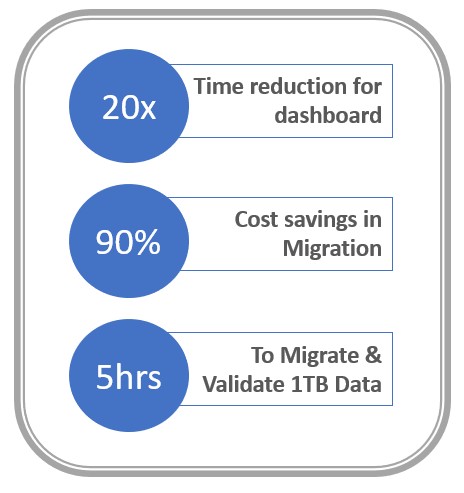
Human effort shifts from manually migration to verifying business logic Save up to 20X reduction in time to migrate $100K+ cost savings to migrate 1,000 charts
Product Snapshots
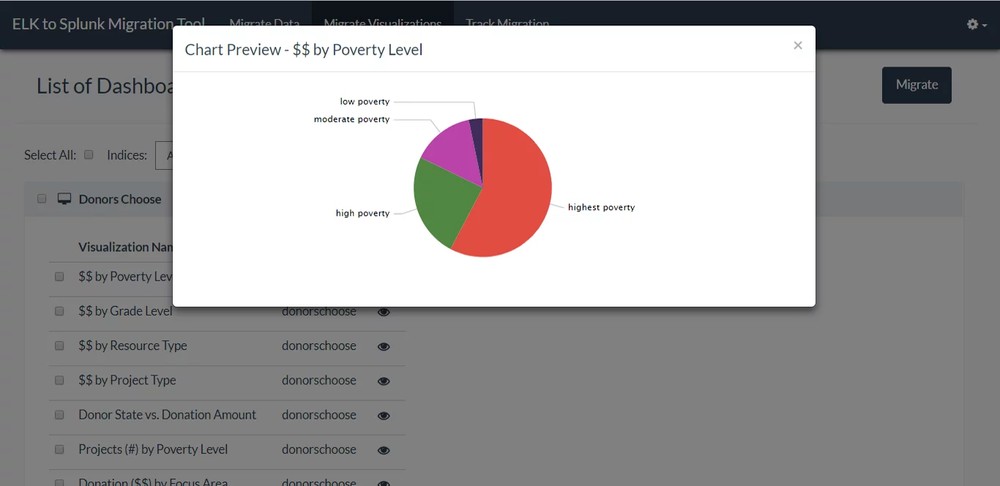
Chart Preview by Poverty Level
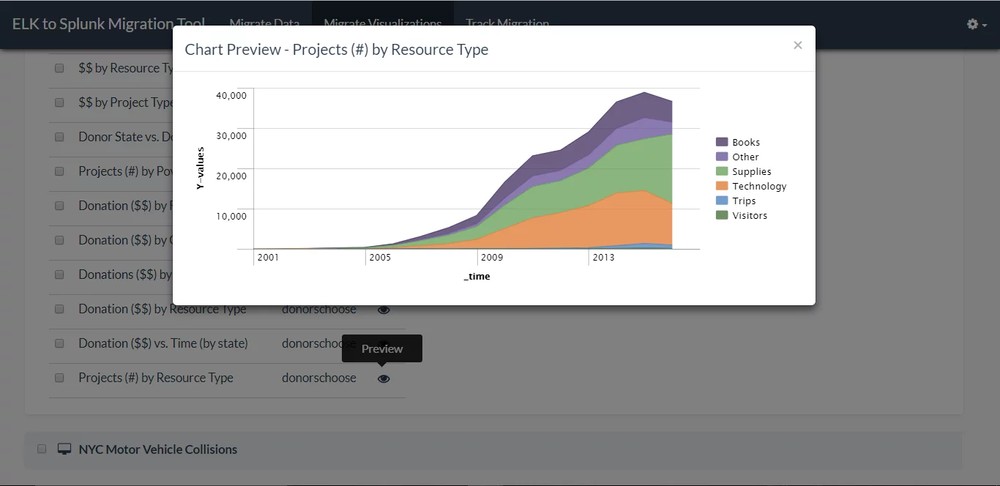
Chart Preview of Projects by Resource Type
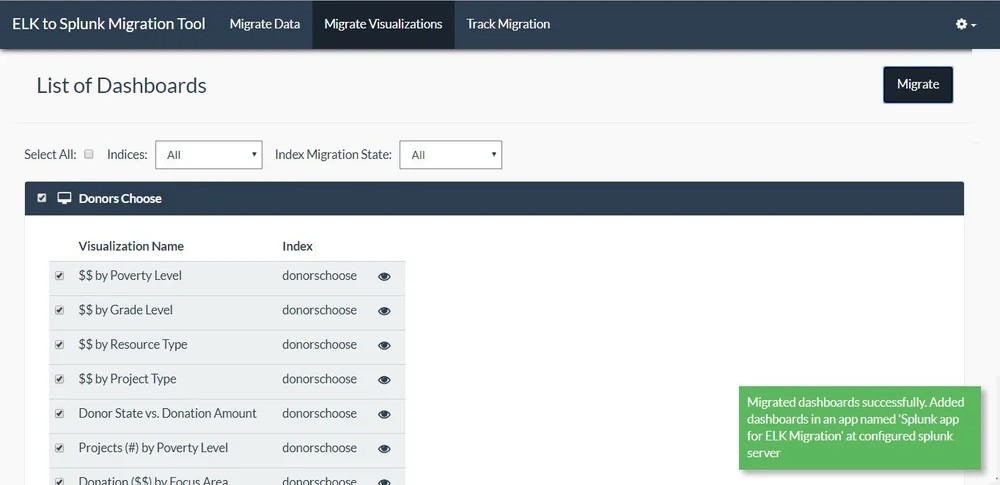
Migrate Visualization
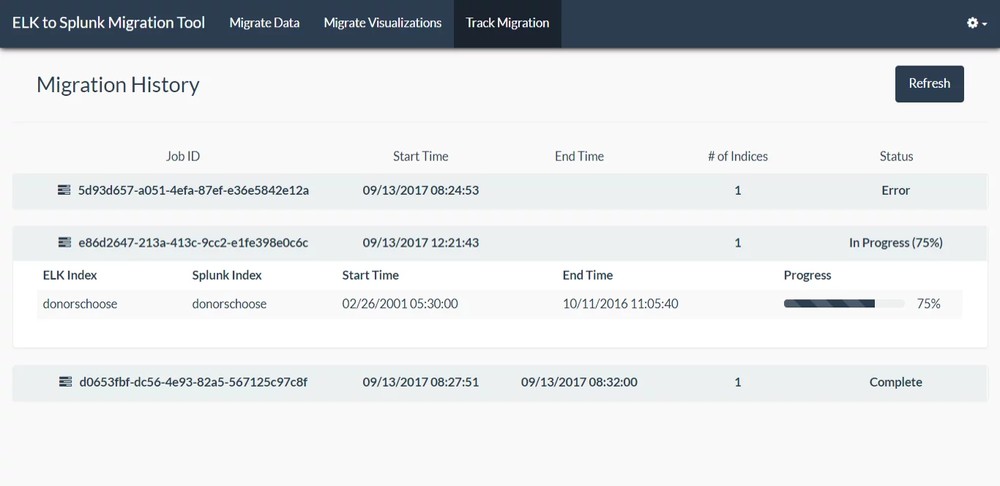
Track Migration
Major Functions and Stats of ElasticSearch Migration Tool
ElasticSearch tool will automate the tasks of migrating the data and visualizations
from ElasticSearch.
It triggering actions, such as, creating Splunk Index, migrating specific data from any index to another, and migrating dashboards/visualizations.
Below are the Four major functions are performed by our ElasticSearch Migration tool:
-
Migrate index data from ELK server with the option to select the start and end-date of events (per index)
-
List and migrate all visualizations per dashboard and name of index used to create the visualization
-
Real-time tracking of index data migration from ELK to Splunk
-
Live-preview of the migrated Visualizations in Splunk Environment so that the administrator can checkpoint prior to automatic migration
Elasticsearch to Splunk Migration FAQs
Elasticsearch is a distributed search and analytics engine at the core of the Elastic Stack — which also includes Logstash for data ingestion, Kibana for visualization, and Beats for lightweight data collection. Together, these components form a comprehensive platform for log management, full-text search, security analytics, and operational intelligence.
Elasticsearch stores data as indexed JSON documents and uses its own query language (Elasticsearch Query DSL and KQL) for fast search and aggregation across large data volumes. It is widely adopted across enterprises for use cases spanning IT operations, application monitoring, security event analysis, and business intelligence. When organizations decide to transition their Elasticsearch environment to Splunk, Crest Data's migration platform handles the full process — automating index data migration, KQL-to-SPL query conversion, and dashboard recreation — ensuring continuity of your analytics operations throughout.
Elasticsearch works by ingesting data — typically JSON documents — and indexing it across a distributed cluster of nodes. Each document is processed through an analysis pipeline that tokenizes text, applies filters, and stores the result in an inverted index, enabling fast full-text search and aggregation queries at scale.
Data can be ingested directly via the Elasticsearch API, through Logstash pipelines, or using Beats agents deployed on source systems. Kibana provides the visualization and dashboard layer on top of Elasticsearch, allowing users to build charts, tables, and operational dashboards from the indexed data.
When migrating from Elasticsearch to Splunk, the data stored across Elasticsearch indices is extracted and re-ingested into Splunk's indexing layer. Crest Data's migration engine manages the index-by-index data transfer, including date range selection, and provides a live preview of migrated visualizations in the Splunk environment before the final migration is committed — allowing your team to validate accuracy before go-live.
Splunk is a platform for searching, monitoring, and analyzing machine-generated data — including logs, events, metrics, and security telemetry — from across an organization's IT infrastructure. It is widely used for IT operations intelligence, security information and event management (SIEM), application performance monitoring, compliance reporting, and operational dashboards.
Splunk uses its proprietary Search Processing Language (SPL) for querying data, and provides a rich ecosystem of apps and integrations through Splunkbase. For organizations migrating from Elasticsearch to Splunk, the primary change is in the query language (from KQL/Elasticsearch DSL to SPL), the data ingestion model, and the dashboard environment (from Kibana to Splunk dashboards).
Crest Data's migration platform automates the conversion of Kibana dashboards into Splunk dashboards and translates Elasticsearch queries into SPL, minimising the relearning burden for your team and ensuring your existing analytics and monitoring workflows are preserved in the new environment from day one.

Start Your Journey with Us
Ready to transform your ideas into reality? Get in touch with our experts today and explore how we can partner for your success.