

Grafana MarketplaceCommercial Plugin
Tableau Plugin for Grafana
Monitor Tableau operations in Grafana
Built for
9
Tableau data categories
3.28
Tableau REST API
PAT
Secure authentication
≥ 12.0
Grafana version supported
Overview
Monitor Tableau operations in Grafana

Native Tableau REST API
Personal Access Token (PAT)
Nine Tableau data categories
Single pane of glass
The Tableau plugin is a backend data source plugin that enables on-demand querying and visualization of Tableau Server and Tableau Cloud content and operational data inside Grafana panels, using the native Tableau REST API. Analytics and platform teams get visibility into their Tableau environment in the same dashboards they already use for the rest of their stack.
Tableau is a leading business intelligence and analytics platform, and keeping it healthy means tracking not just dashboards but the content, users, and background jobs behind them. The plugin connects to the Tableau REST API to retrieve site information, projects, workbooks, views, published data sources, users, groups, background jobs, and extract refresh tasks, so teams can monitor adoption, govern content, catch failing extracts, and manage capacity from a single pane of glass.
Coverage
What You Can Monitor
The plugin exposes nine Tableau REST API data categories, selectable by query type in the query editor, spanning content, users, and operations.
01 — Content
Content & Usage
Track published Workbooks with owner, project, size, and tags, Views with optional usage hit counts, and published Data Sources with certification status and connection type. Organize it all with the Projects inventory, including owners and content permissions, to understand what content exists and how it is being used.
workbooks
views
data.sources
projects
02 — Identity
Users & Access
Monitor site Users with role, authentication setting, and last login to track adoption and license utilization, and review Groups with domain information for a clear picture of access and governance across the site.
users
groups
last.login
user.role
03 — Operations
Operations & Health
Keep the platform healthy with Site Info (storage and user quota, usage counts and percentages), background Jobs history with computed durations, and Extract Tasks showing schedule details and consecutive failure counts, so teams catch capacity pressure and failing refreshes early.
site.info
jobs
extract.tasks
failure.count
See It in Grafana
Set up and query Tableau, right inside Grafana
Connect your Tableau environment, build queries with the guided editor, and visualize Tableau content and operational data through Grafana dashboards.
1 / 3
01
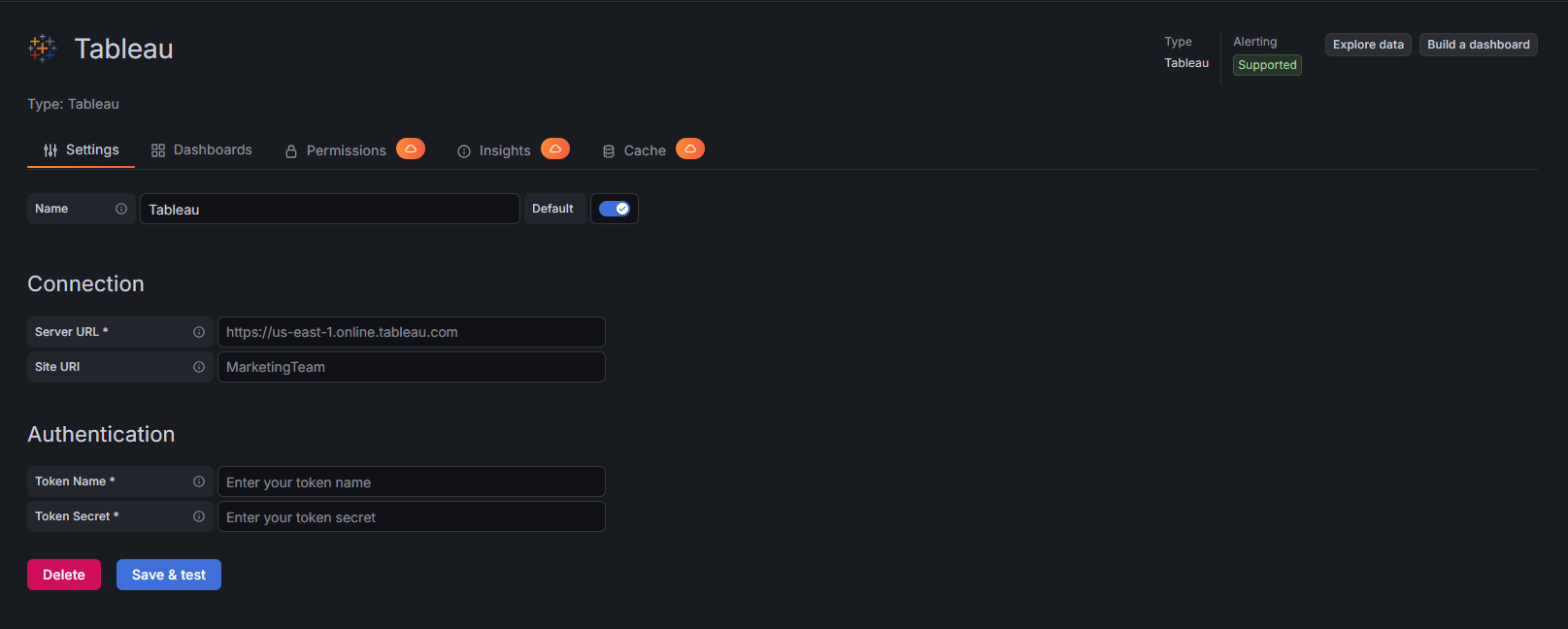
Data Source Configuration
Connect Tableau Server or Tableau Cloud using Personal Access Token authentication and configure the data source directly in Grafana.
02
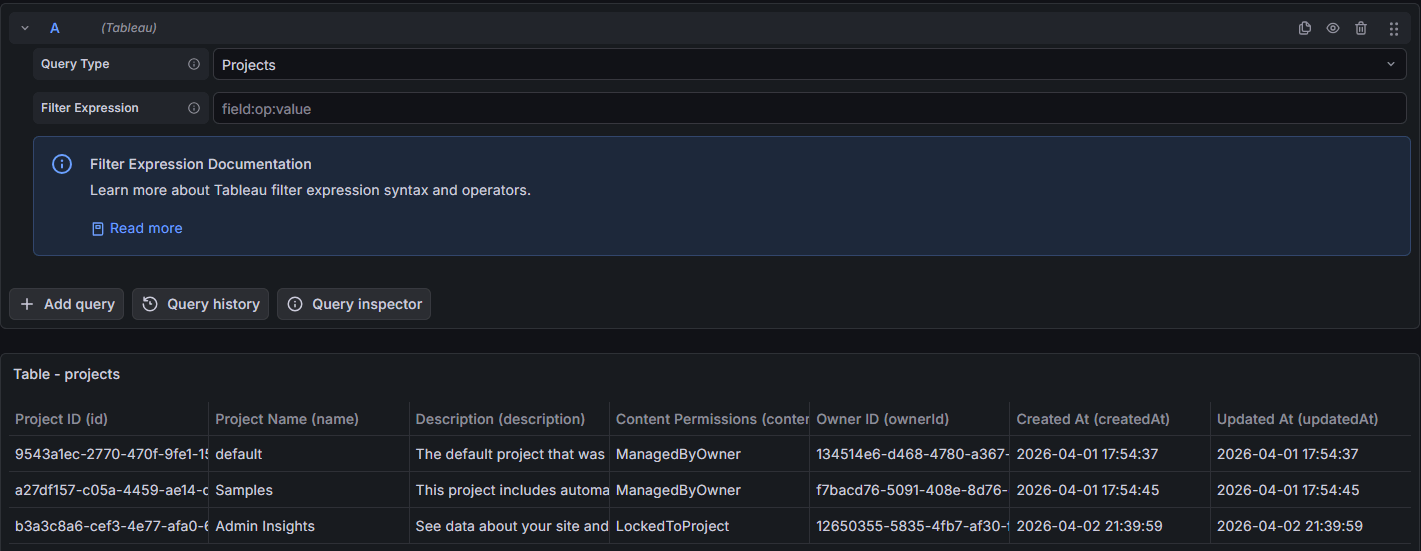
Query Editor
Select Tableau data categories and apply filters to query sites, projects, workbooks, views, users, jobs, and extract tasks.
03
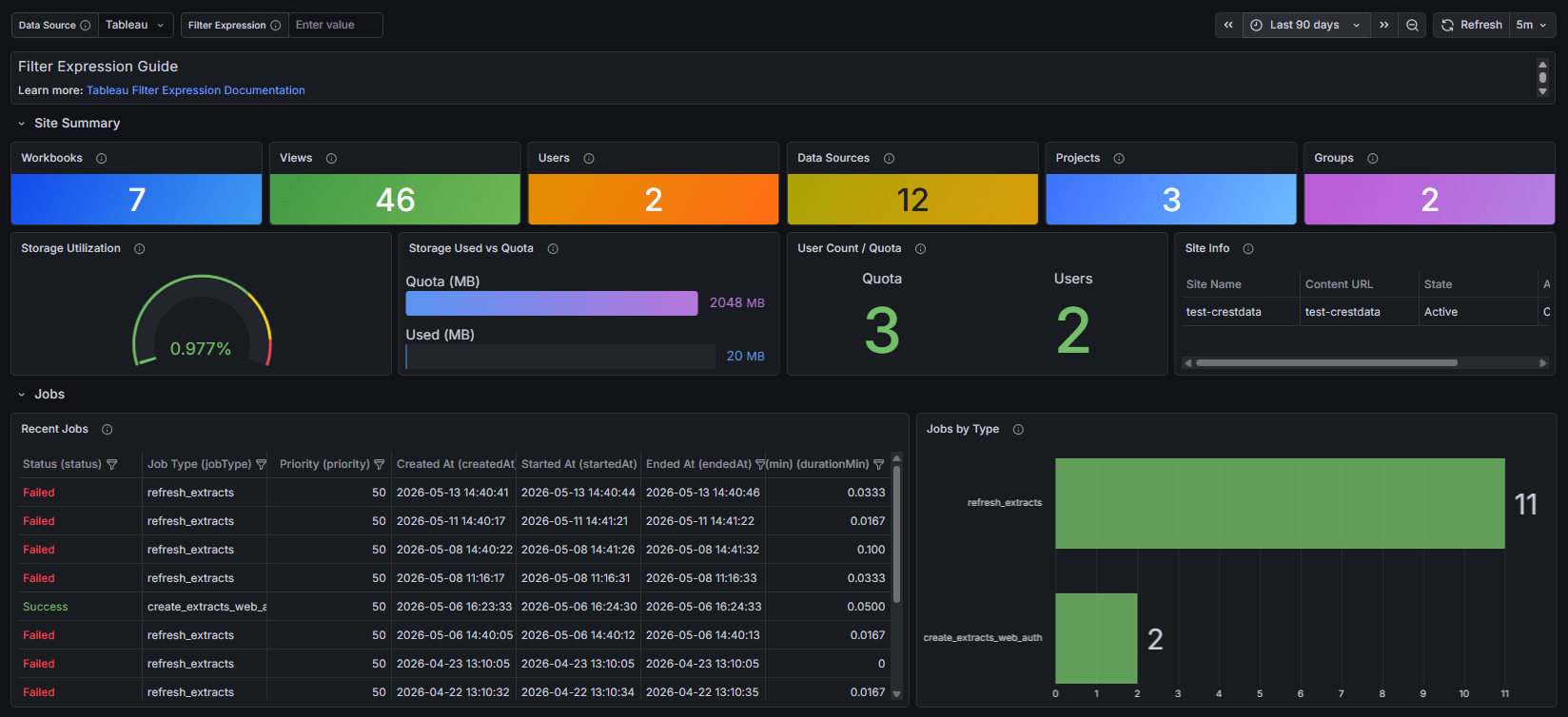
Tableau Operations Dashboard
Visualize Tableau content, users, jobs, and extract operations through Grafana dashboards for a unified operational view.

Differentiators
Why Crest Data's Tableau Plugin?
Native & Agentless
Talks directly to the Tableau REST API with Personal Access Token authentication from the Go backend. No agents, no exporters, no extra collection layer to deploy or maintain.
Nine Data Categories
Query Site Info, Projects, Workbooks, Views, Data Sources, Users, Groups, Jobs, and Extract Tasks for complete visibility into content, adoption, and operations across the site.
Server & Cloud Ready
Works with both Tableau Server (v2019.3 and later) and Tableau Cloud, so teams get a consistent monitoring experience regardless of where Tableau runs.
Powerful Filtering
Tableau REST API filter syntax (field:operator:value) lets analysts narrow Projects, Workbooks, Views, Data Sources, Users, and Jobs to exactly the content that matters.
Time-Range Aware
Integrates with Grafana's time picker, pushing the start bound to the API as a server-side filter and enforcing the end bound in the backend, so time-based queries stay efficient over large sites.
Resilient by Design
Automatic session management with token refresh on expiry, plus retry with exponential backoff for transient failures and transparent pagination that fetches and merges all pages.
Built and Maintained by Crest Data
Developed and proactively maintained by Crest Data as a commercial Grafana Marketplace plugin, with continuous compatibility as the Tableau API evolves.
How to Get the Plugin
Tableau is a commercial plugin on the Grafana Plugin Marketplace
To license the plugin or set up an evaluation, contact the Grafana Marketplace team.
Grafana Marketplace
plugins-marketplace@grafana.com
Plugin ID
crestdata-tableau-datasource
Get the Plugin Now