
Skip links
Grafana Marketplace Commercial Plugin

Qualys Compliance & Application Security Plugin for Grafana

Bring Qualys compliance and application security into Grafana

Built for
Qualys
Grafana Labs
15
Query types
4
Bundled dashboards
4
Qualys modules
≥ 13.1
Grafana version supported
Overview

Monitor Qualys compliance and application security directly inside Grafana

Qualys API base host and gateway
One Qualys user, both auth schemes
Compliance, PCRS, WAS, and FIM
Strictly read-only, server-side data access

The Qualys Compliance & Application Security plugin is a backend data source plugin that lets you query and visualize Qualys compliance and application security data directly in Grafana dashboards, Explore, and alerting. Security, compliance, and GRC teams get posture and findings in the same dashboards they already use for the rest of their stack.

With a single Qualys user, the plugin talks to your subscription's API base host and gateway and turns four Qualys modules into Grafana panels: Policy Compliance posture, controls, and exceptions, Policy Compliance Reporting Service (PCRS) posture streams for large estates, Web Application Scanning findings, File Integrity Monitoring events and incidents, and the compliance activity log. Every query is read- only and server-side, so teams can track compliance posture, triage web application findings, and watch file-integrity change from a single pane of glass.

Coverage

What You Can Monitor

The plugin exposes 15 read-only query types across four Qualys modules, selectable in the query editor, with server-side filtering on policy, status, criticality, severity, QID, IP range, web application, finding type, FIM reputation and trust status, incident status, and more. A Time Field selector makes the mapping from the panel's time range explicit for endpoints that expose more than one meaningful date.

Policy Compliance & PCRS

Policy Compliance & PCRS

Track per-host, per-control pass/fail posture (legacy Posture Info and streaming PCRS Posture Info for large estates), the compliance policy list and the control library, granted exceptions with assignee and expiry, compliance scan history, and the compliance activity log as a stream of policy, exception, and scan activity, so teams know exactly which controls are failing and who changed what.

posture controls exceptions scan history activity log
Web Application Scanning

Web Application Scanning

Inventory registered web applications with scan status, default profile, and scheduling, review scan history with mode, status, duration, and vulnerability counts, and triage findings with QID, severity, status, OWASP and WASC classification, and first and last detected dates, to see where applications are exposed and how that is trending.

web apps scans findings OWASP WASC
File Integrity Monitoring

File Integrity Monitoring

Monitor file and registry change events (and the events an ignore rule suppresses), review FIM incidents with approval status, disposition, rule, and change type, and see the full set of assets FIM is watching with operating system and manifest status, for a clear record of what changed, where, and whether it was expected.

change events ignored events incidents monitored assets manifests
Pre-Built Dashboards

Ready-to-use Qualys dashboards in Grafana

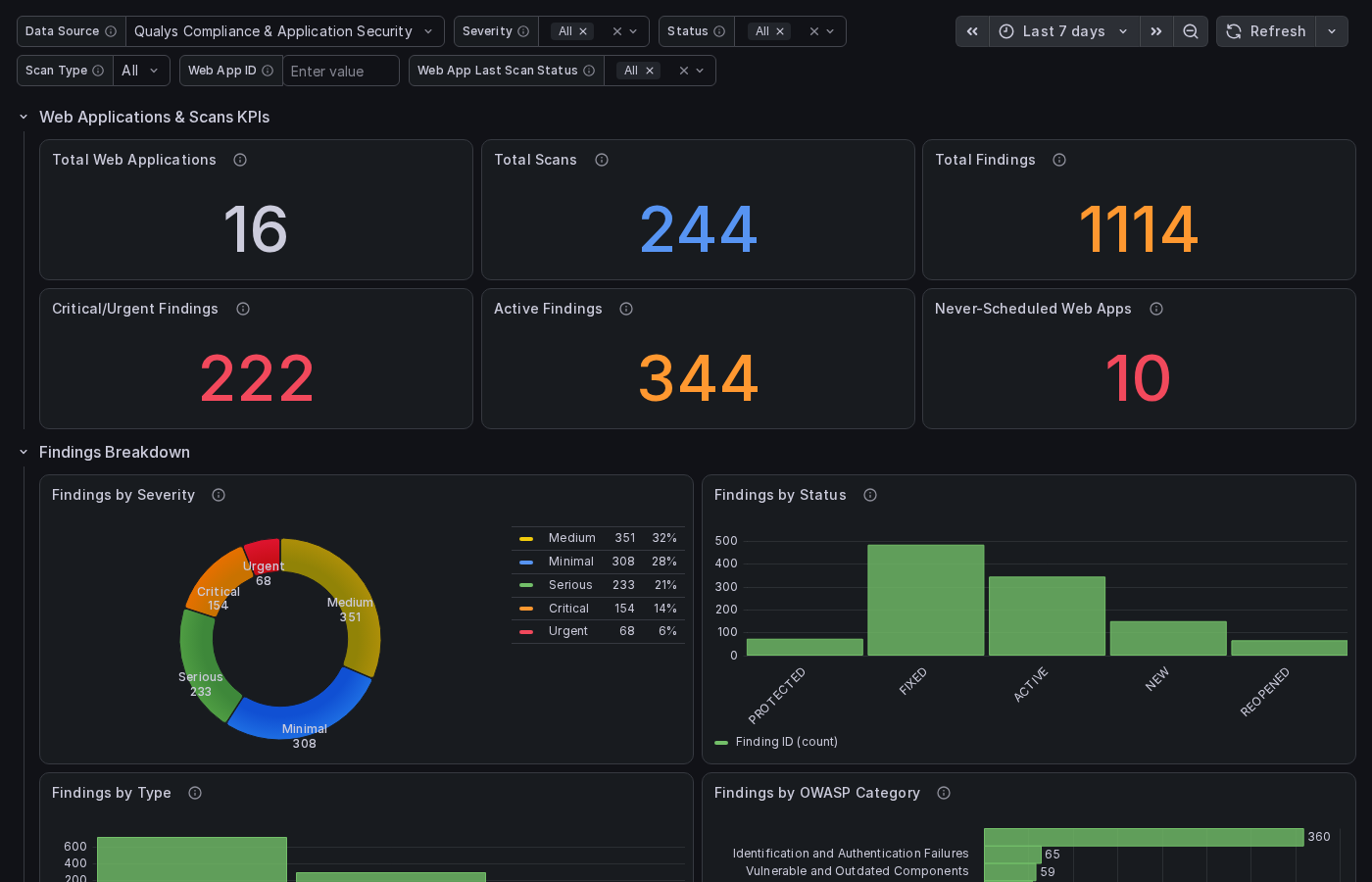
The plugin ships with four dashboards covering Web Application Scanning, Policy Compliance posture and operations, and File Integrity Monitoring.
1 / 6
Qualys Web Application Scanning dashboard in Grafana
01

Qualys AppSec Web Application Scanning

Web application inventory, scan activity, and findings across your registered applications.
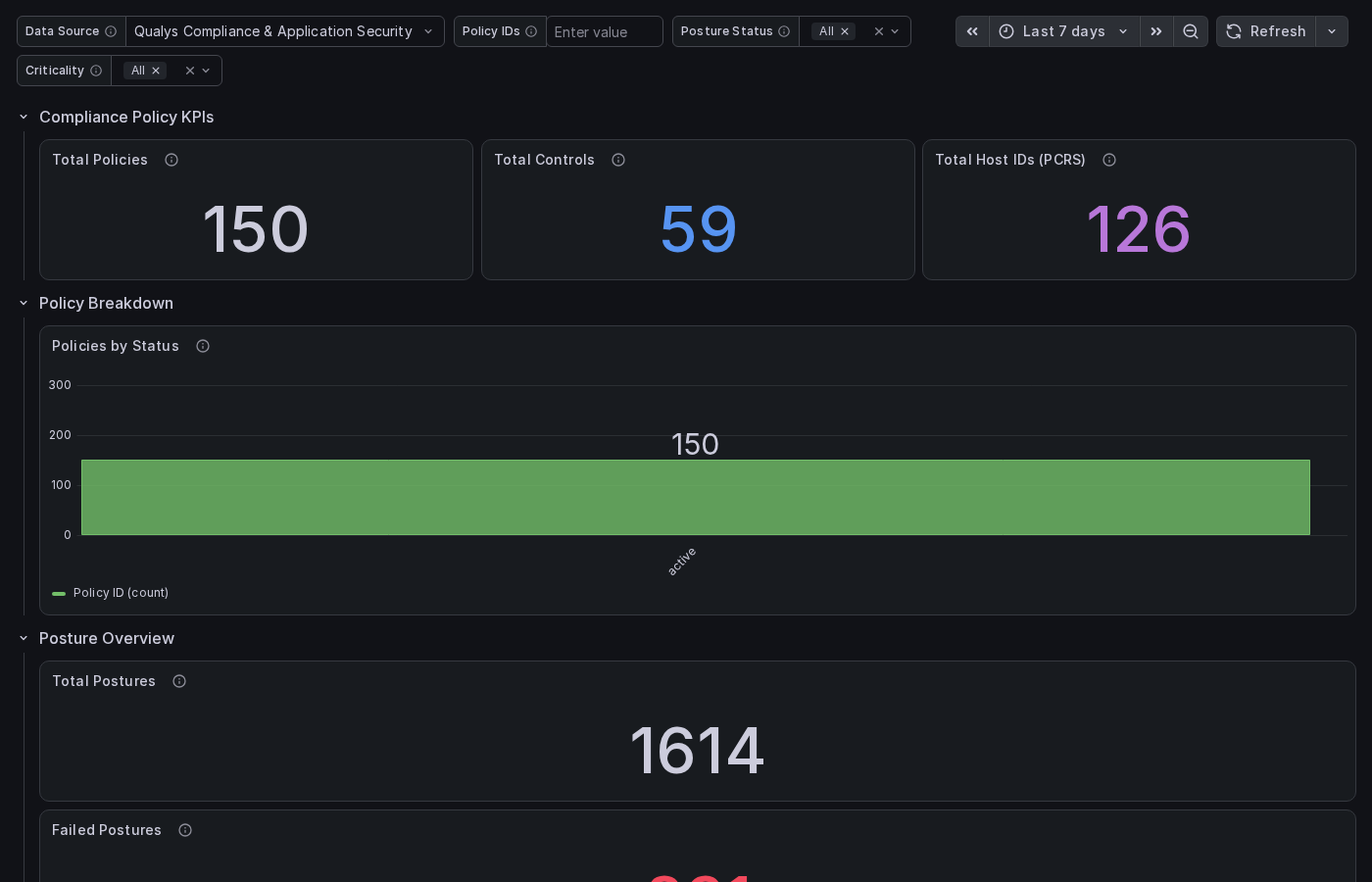
Qualys Policy Compliance Posture dashboard in Grafana
02

Qualys AppSec Policy Compliance Posture

Policies, the control library, and pass/fail posture from the reporting service (PCRS). A Policy IDs variable optionally narrows posture panels to specific policies.
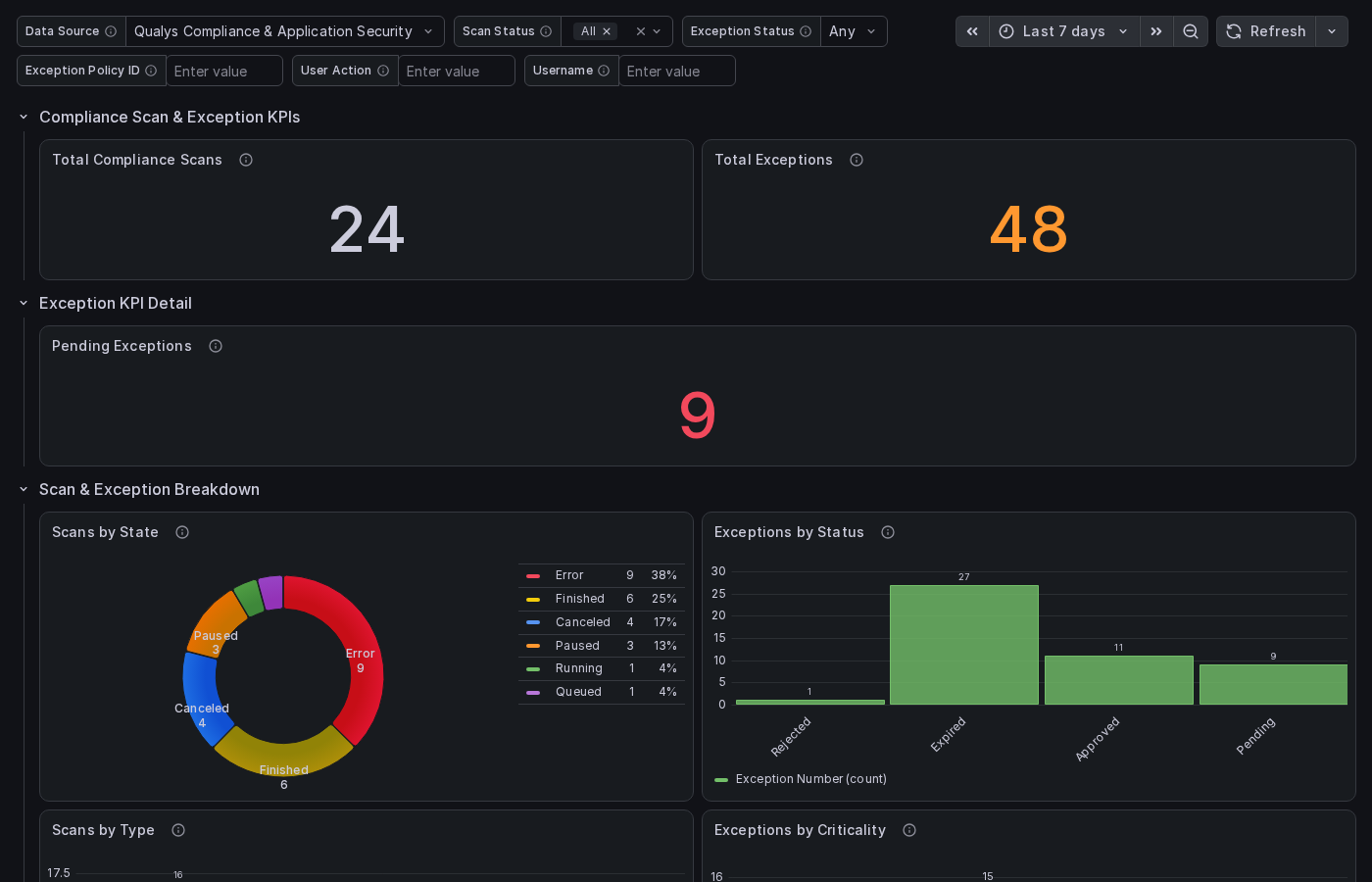
Qualys Policy Compliance Operations dashboard in Grafana
03

Qualys AppSec Policy Compliance Operations

Scan activity, granted exceptions, and the compliance user activity log.
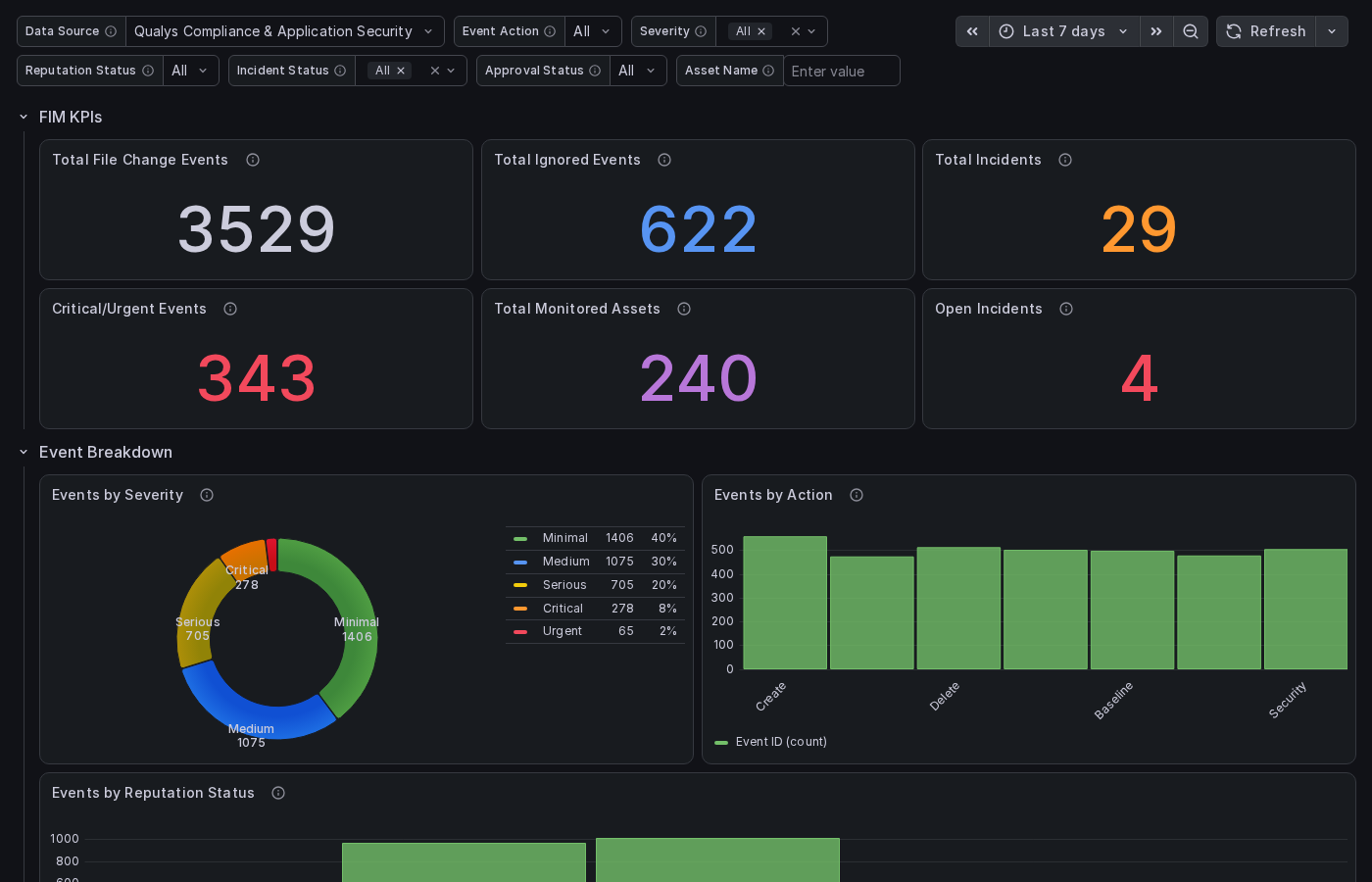
Qualys File Integrity Monitoring dashboard in Grafana
04

Qualys AppSec File Integrity Monitoring

File change events, ignored events, incidents and monitored assets.
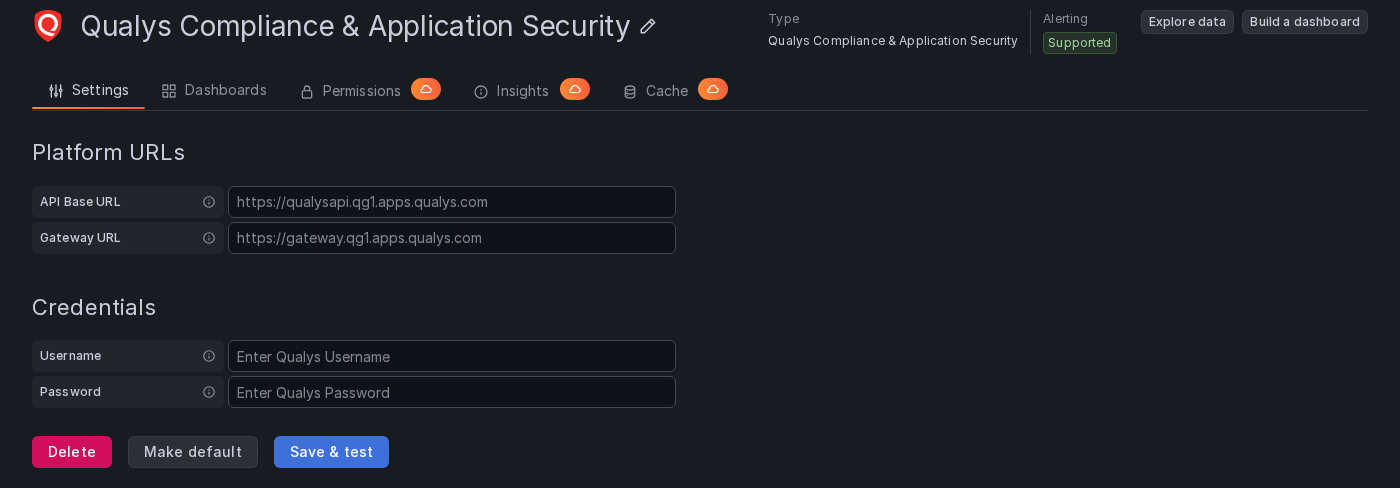
Qualys data source configuration in Grafana
05

Data Source Configuration

Enter your pod's API Base URL and Gateway URL with the Qualys username and password, then select Save & test. It validates both hosts independently and reports which modules your subscription includes.
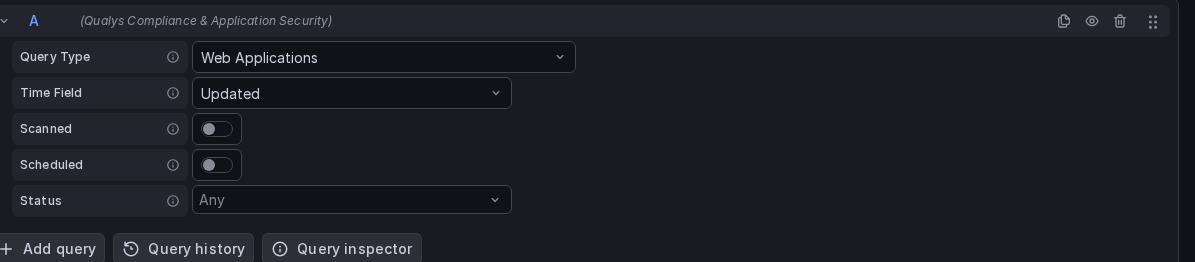
Qualys query editor in Grafana
06

Query Editor

Pick a Query Type first; the editor then shows only the fields that query type supports. Filters left empty are not sent to Qualys.


Differentiators

Why Crest Data's Qualys Plugin?

Native & Agentless

Talks directly to the Qualys API base host and gateway from the Go backend. No agents, no exporters, no extra collection layer to deploy or maintain, and every query is read-only.

Four Qualys Modules, One Data Source

Policy Compliance, PCRS, Web Application Scanning, and File Integrity Monitoring across 15 query types, so compliance posture, application findings, and file-integrity change live in the same dashboards instead of four separate consoles.

One User, Two Auth Schemes Handled For You

A single Qualys username and password covers both the API base host (HTTP Basic) and the gateway (bearer token); the plugin picks the right scheme per endpoint and obtains the gateway token automatically, with no authentication-method selector to get wrong.

Built for Large Compliance Estates

PCRS posture streaming resolves host IDs and posts them back in chunks, decompresses posture responses, and handles continuation URLs, keyset IDs, and the FIM cursor, with no client-side record limit, so even very large compliance estates come back in full.

Honest, Rate-Aware Reads

Readable values keep their raw code underneath for sorting, each query type's time behavior is explicit, and the plugin serializes requests and honors Qualys's own wait hints, attaching a warning for a partial read rather than truncating silently.

Secure by Design

The Qualys username and password are stored encrypted at rest, every query is read-only, and panel errors stay generic (credentials and upstream detail go to the server log only).

Built and Maintained by Crest Data

Developed and proactively maintained by Crest Data as a commercial Grafana Marketplace plugin, with continuous compatibility as the Qualys APIs evolve.

How to Get the Plugin

Qualys Compliance & Application Security is a commercial plugin on the Grafana Plugin Marketplace

To license it or set up an evaluation, contact the Grafana Marketplace team.

Contact to Purchase
plugins-marketplace@grafana.com
Plugin ID
crestdata-qualysappsec-datasource
View on the Grafana Marketplace